Ultra Addons for Contact Form 7

Winter Deal

50% OFF

00 Days
00 Hours
00 Minutes
00 Seconds

Salesforce Integration

Salesforce Integration for Contact Form 7

With this feature, every time someone submits a Contact Form 7 form, the data is sent straight to your Salesforce account. This ensures all responses are automatically captured in Salesforce, helping you manage leads, contacts, and inquiries efficiently—without any manual work. Perfect for contact forms, signups, orders, or any kind of form on your site.

    Tired of Manually Tracking Form Submissions?

    Save Form Entries Automatically with Salesforce Integration!

    With our Salesforce Addon for Contact Form 7, each form submission is sent directly to Salesforce in real time. No copy-pasting, no missed leads, no sorting through emails. This integration keeps your data organized, reduces manual work, and allows your team to collaborate seamlessly.

    Real-Time Data Recording

    Automatic Entry Logging: Each time a user submits a Contact Form 7 form, the data is instantly added to your selected Salesforce object—perfect for contacts, leads, inquiries, or customer requests.

    Organized and Accessible

    Salesforce Dashboard: Keep your form data structured, searchable, and easy to access. All entries are stored in Salesforce where your team can track, manage, and update records efficiently.

    Easy to Set Up

    One-Time Setup: Connect your Salesforce account by creating an External Client App, generating the Consumer Key & Secret, and entering them into the plugin. No complex configurations or coding needed.

    Great for Teams

    Shareable & Collaborative: Your Salesforce account can be accessed by multiple users depending on permissions. Ideal for marketing, sales, support, or event coordination teams.

    Create an External Client App
    (Click to Enlarge the Image)
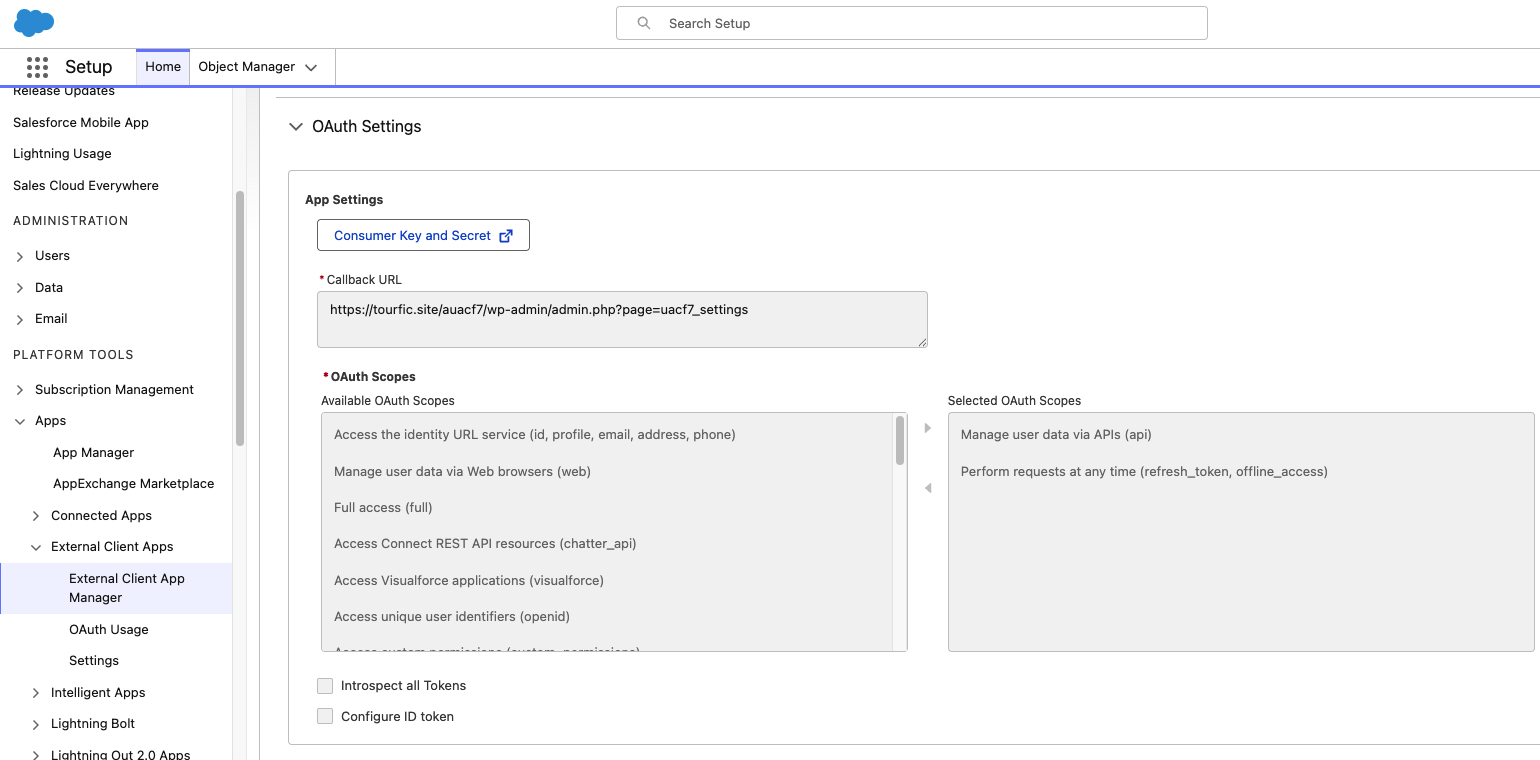
    To connect your forms with Salesforce, go to Apps → External Client Apps → External Client App Manager in Salesforce. Click Create External Client App, enable OAuth, set the Callback URL, and save. After saving, copy the Consumer Key and Consumer Secret to use in your plugin settings.

    Enable Salesforce Integration

    (Click to Enlarge the Image)
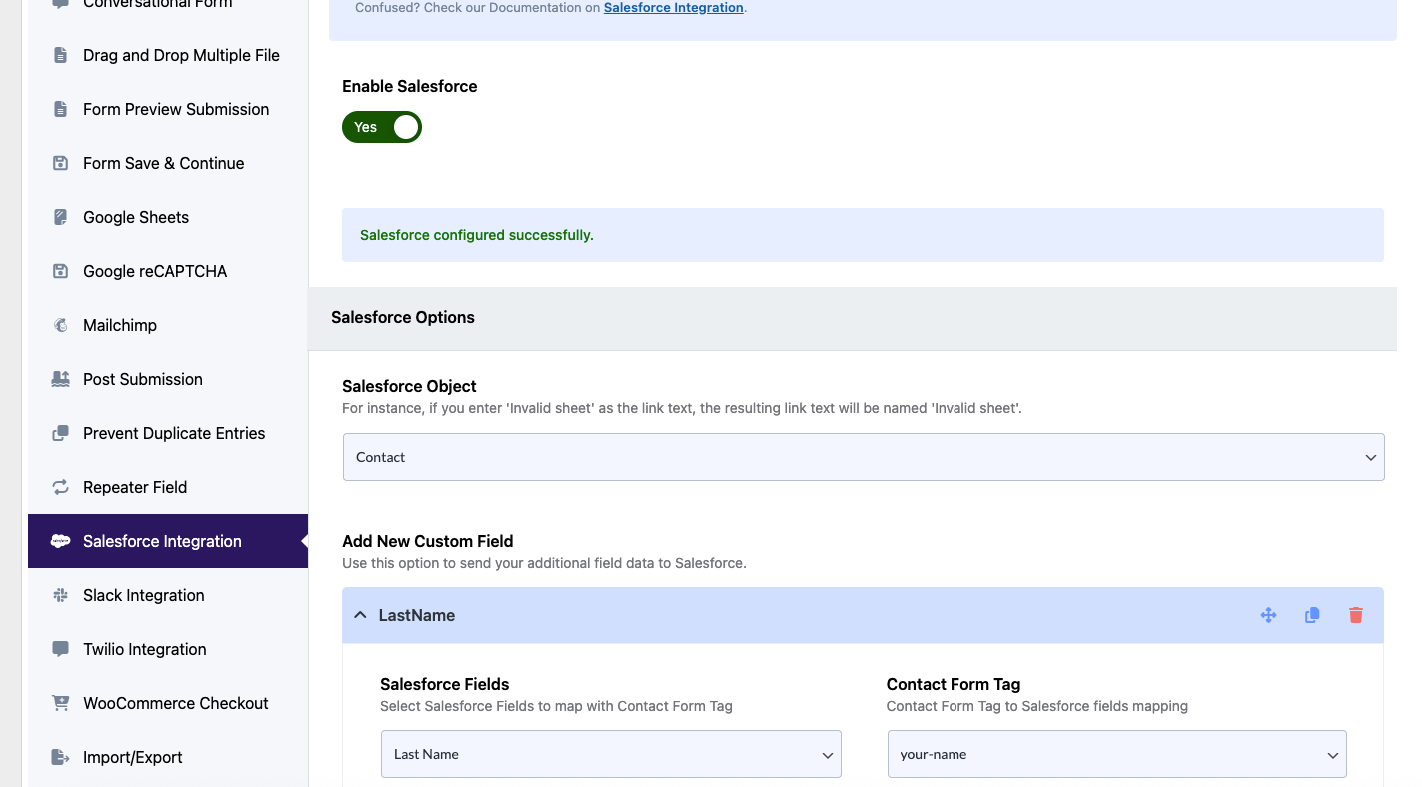
    In WordPress, go to Ultimate Addons > All Addons, search for Salesforce Integration, and click Enable. Once activated, the Salesforce tab will appear in your Contact Form 7 forms, allowing you to map form fields to Salesforce objects and start sending submissions automatically.

    Would you like to try Google Sheets Integration ?

    With this feature, every time someone submits a Contact Form 7 form, the data is sent straight to a Google Sheet. This means you can collect all responses in one place, without doing anything manually.
    Table of Contents
    Scroll to Top

    Wait! Before you go

    Try Ultra Addons for just $9

    Get Full access to Ultra Addons Pro for 30 days.

    Trusted by 60000+ Websites