---
title: Range Slider
description: "In this article, we will try to explain how to **set up Contact Form 7 Range Slider** with the help of our Free Addon \"Contact Form 7 Range Field\". ## **Watch Complete Video** If you are still confused, we suggest…"
url: "https://cf7addons.com/docs/free-addons/contact-form-7-range-slider/"
updated: "2026-02-10"
category: Free Addons
---
# Range Slider
In this article, we will try to explain how to **set up Contact Form 7 Range Slider** with the help of our Free Addon "Contact Form 7 Range Field".
## **Watch Complete Video**
If you are still confused, we suggest you watch this video. In this video, we tried to describe the whole step of How to create a form with Range Slider Field with Contact Form 7:
[How to add a Range Slider on Contact form 7 | Step by Step Guide | Free WordPress Plugin](https://www.youtube.com/embed/Vr0hcEcdyB0?feature=oembed)
---
## What's needed
- Ensure that both [Contact Form 7](https://wordpress.org/plugins/contact-form-7/) and [Ultra Addons for Contact Form 7](https://wordpress.org/plugins/ultimate-addons-for-contact-form-7/) are installed on your WordPress site.
- Go to **Ultra Addons** in your WordPress Dashboard, and enable the **Range Slider** checkbox/toggle.
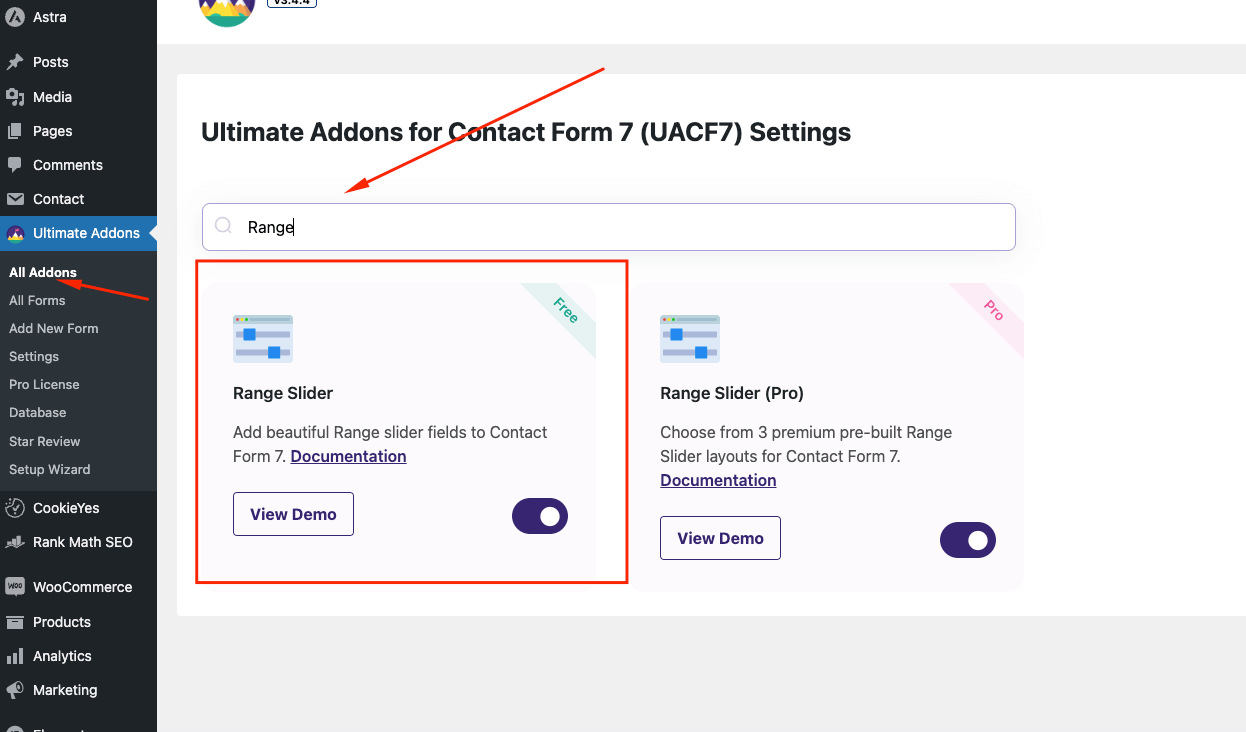
## What is Range Slider for Contact Form 7?
The Range Slider for Contact Form 7 is an addon that allows you to add an interactive slider field to your contact forms. This field lets users select a numeric value or a range of values by sliding a handle across a bar. It's ideal for fields like "budget," "age range," or any input that requires a value within a specified range. You can customize various aspects of the slider, including minimum and maximum values, default values, and visual styles like color, handle size, and shape.
## Range Slider for Contact Form 7 - Live Example
In this tutorial, we'll guide you through creating a range slider for Contact Form 7, similar to the example below.
Check out our [main demo](https://cf7addons.com/preview/contact-form-7-range-slider/) to see all the supported fields for the Contact form 7 range field.
## Creating a Contact Form 7 Range Slider
From the Admin Screen, go to **Contact** -> **Add New** to open a new Contact Form on your Admin screen. Add a title to your new Contact Form (e.g., "Range Slider").
### Adding Range Slider Tag
Inside the **Form Tag Generator** option, look for the **Range Slider** tag.

Open **Range Slider**from the tags. You will find a list of settings that allows you to customize your **Range Slider**before you place it on your **Contact Form.**
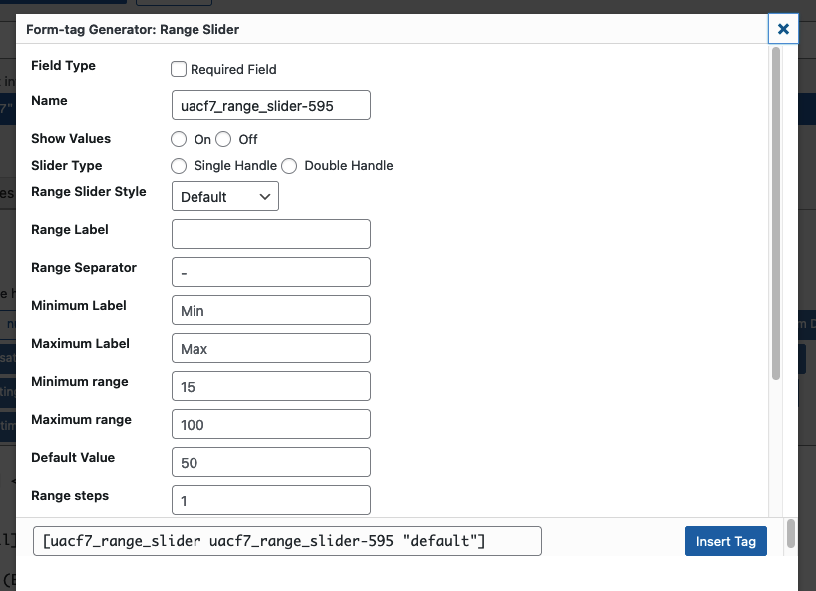
- **Field Type:** Decide if the Range Slider field should be required.
- **Name:** Use the auto-generated name or enter a custom name for the tag.
- **Show Values:** Displays the slider's specific values.
- **Minimum Range:** Set a minimum range value.
- **Maximum Range:** Set a maximum range value.
- **Default Value:** Set an initial value for the slider when users visit your site.
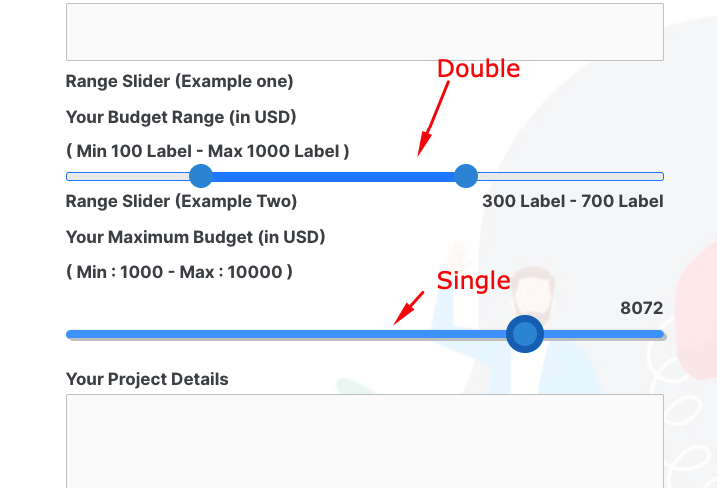
- **Slider Type:**
- **Single Handle:** One button to show a single value.
- **Double Handle:** Two buttons to display a range of values.
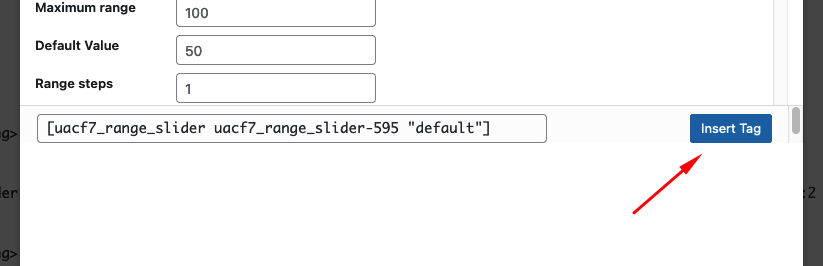
After you have finished customizing your range slider in the **Contact Form. Copy**the **Tag**or **Click Insert Tag.**It will place the **Tag** inside the **Admin Panel**of your **Contact Form.**
### Add other fields
Add any additional fields to the form, either above or below the range slider tag as needed.
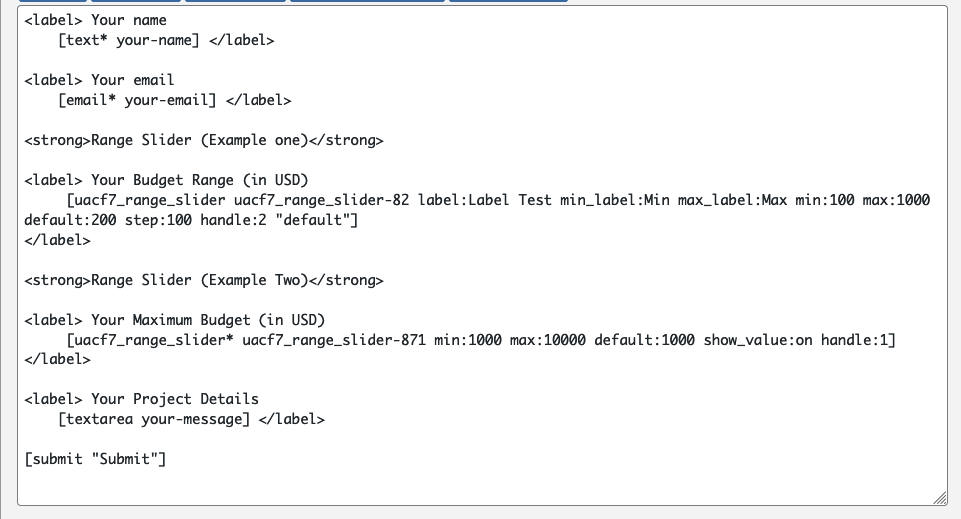
If your form is ready, click save button.
### Range Slider Design Settings
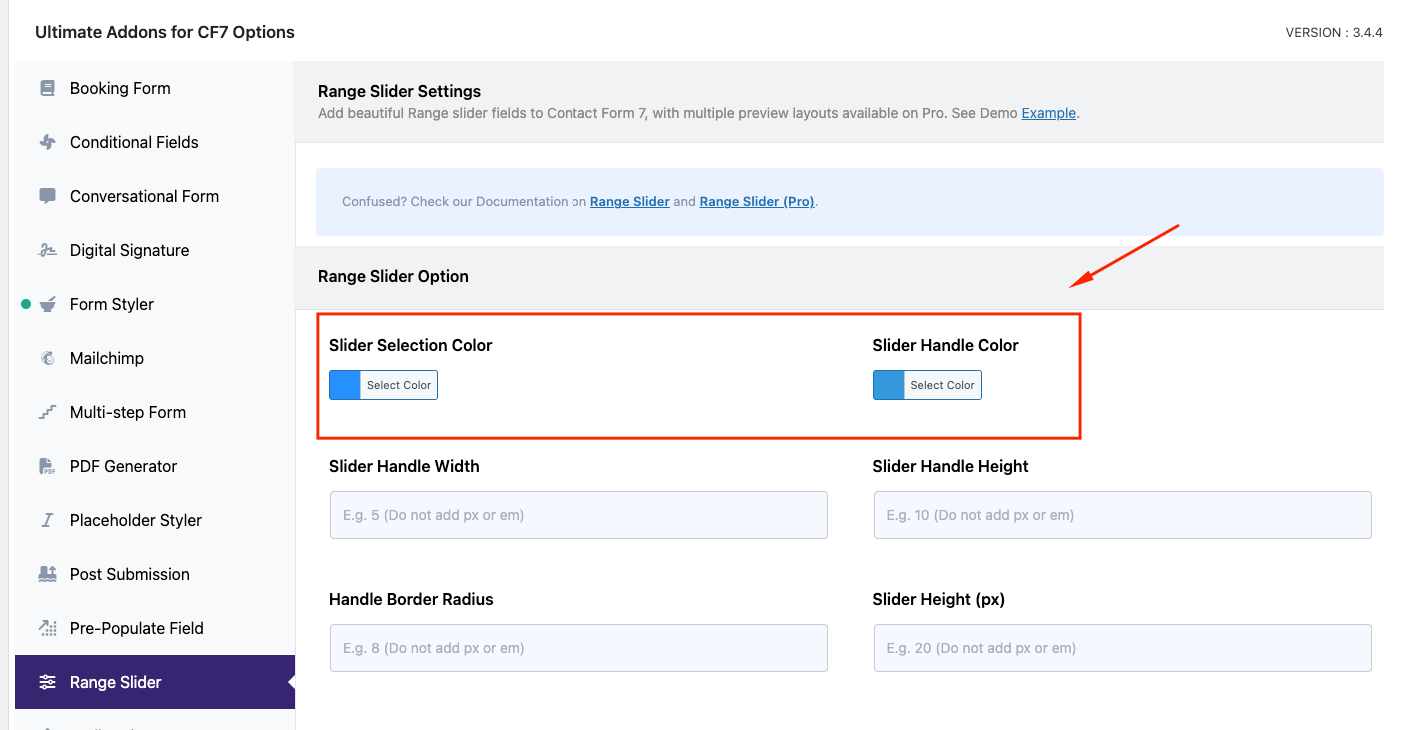
After creating the form, scroll down to the **Ultra Addons for CF7 Options** section and click the **Range Slider** tab. You will find a list of design-related settings here (e.g., slider selection color, handle color, handle width, handle height, handle border radius, and slider height). Configure these settings as needed.
### **Copy the Shortcode**
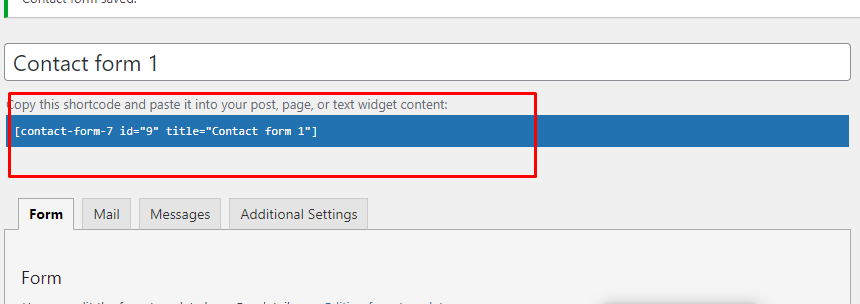
Once your setup is done, click save and copy the Contact form shortcode.
### Time to Publish
Paste the shortcode wherever you want to display the form (Pages, Posts, Custom Post Types, or Sidebars). The result should look like the example form above.
## Looking for more Advanced Options?
With the **Range Slider Pro** version, you can select from 3 premium pre-built range slider layouts. Here is a [live demo](https://cf7addons.com/preview/range-slider-pro/) example of the form.
---
## Full-Form Code
Here is a sample code of our above form:
```php
[submit "Submit"]
```
---
**Still Not Clear?** Please contact us. If you are a free User, you can open a ticket from [here](https://portal.themefic.com/support/). If you are a pro user, you can open a ticket from [here](https://portal.themefic.com/my-account/support-tickets/#/).